The best office headsets under $100 should make calls straightforward while fitting your work setup, whether you prefer a boom mic, wireless freedom, or a wired connection. These five JLab options range from call-focused headsets to general listening headphones, so choose by microphone controls, comfort style, and how you connect to your devices.
Quick Top Products
JLab JBuds Work Wireless Headset
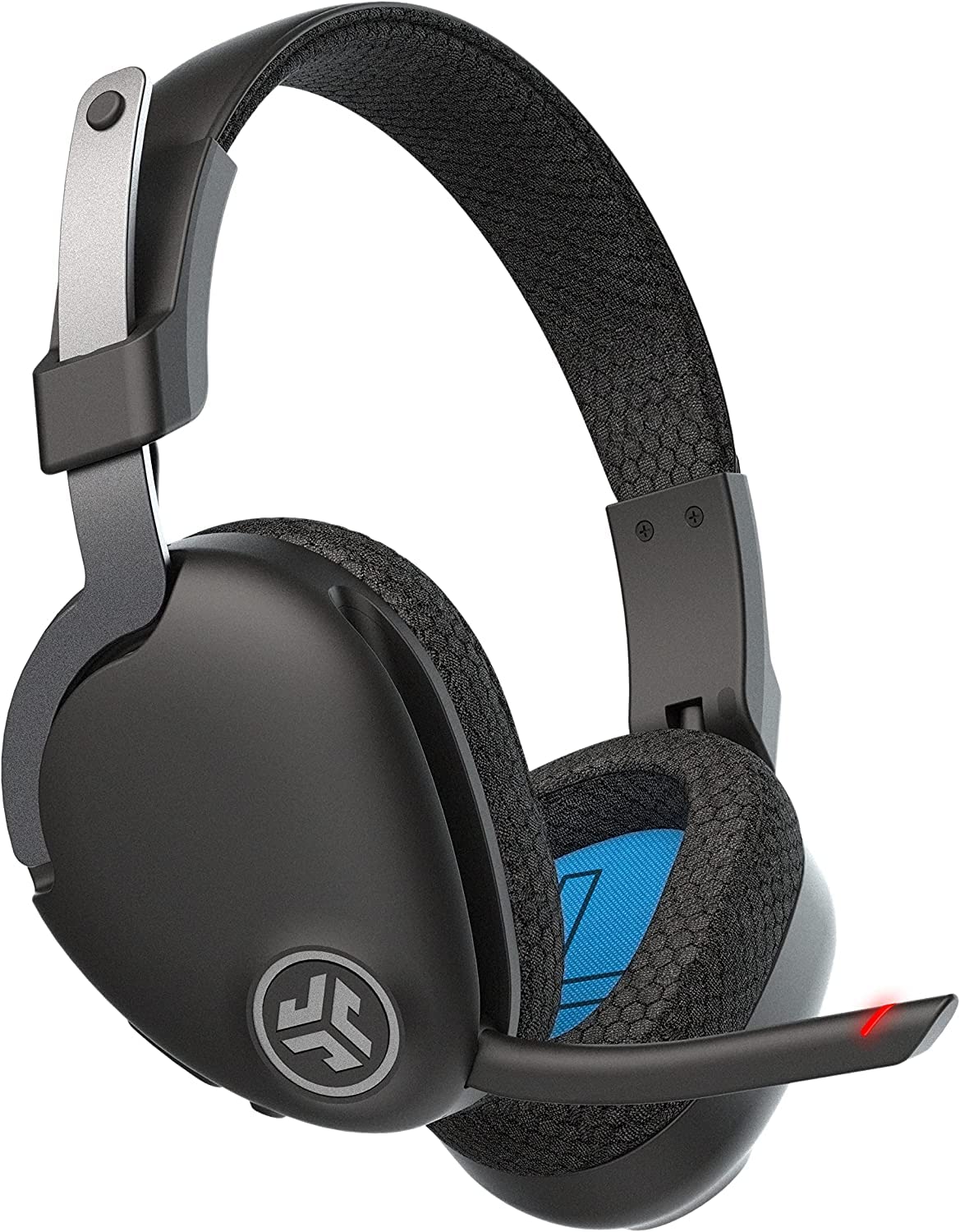
- Over-ear design with Cloud Foam earcups and a rotating boom mic.
- Bluetooth multipoint connects two devices; an included cable supports wired use.
- 60-plus-hour stated battery life, Voice and Music EQ modes, and a mute indicator.
Best For: People who want an over-ear headset with long battery life and flexible device connections.

JLab Go Work Wireless Headset
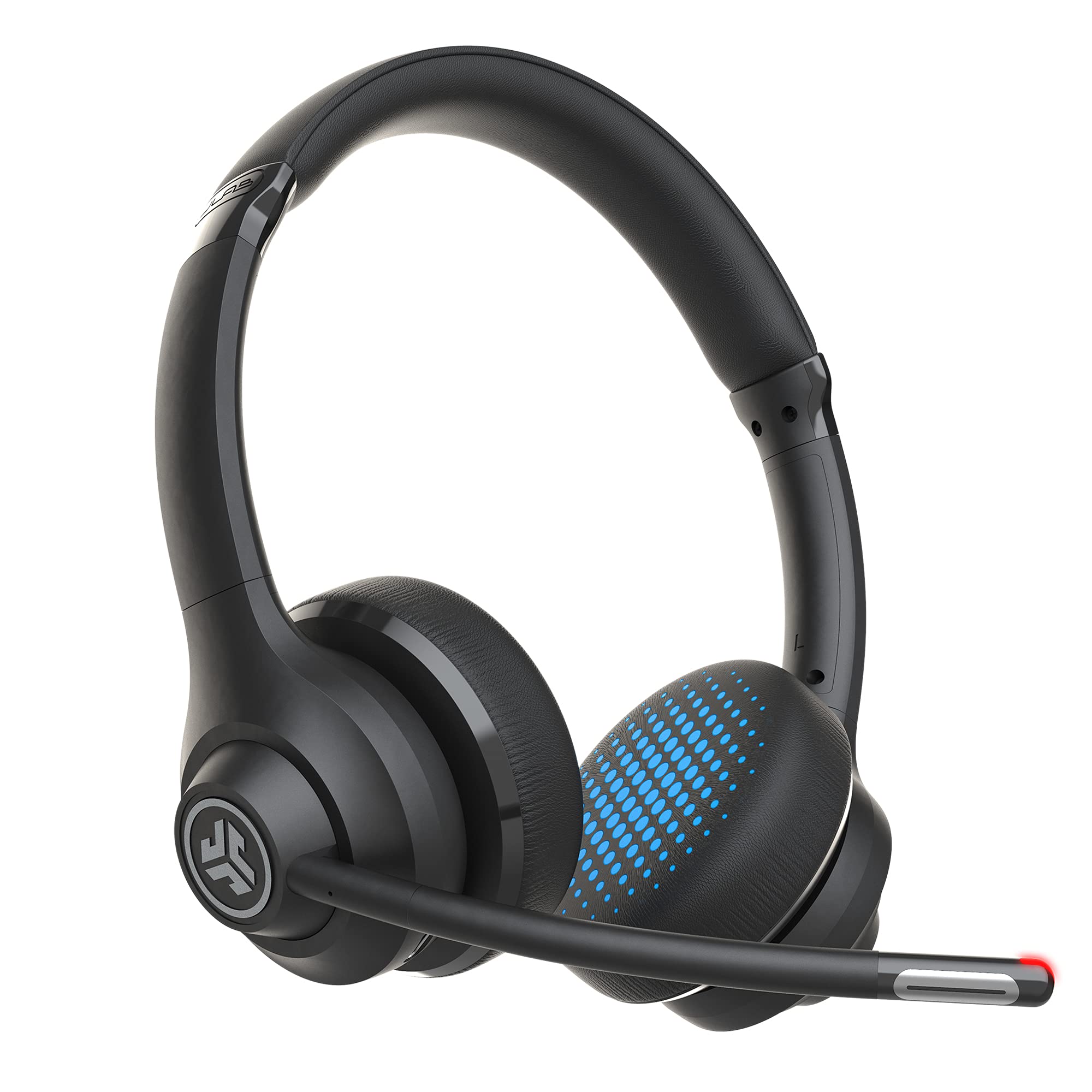
- Bluetooth multipoint connects two devices simultaneously.
- Includes USB-C charging and a USB-C to 3.5 mm wired-use cable.
- Rotating boom mic, red mute indicator, and stated 45-plus-hour battery life.
Best For: Office users who want a boom microphone and the option to switch between wireless and wired listening.
JLab Go Work Pop Headset
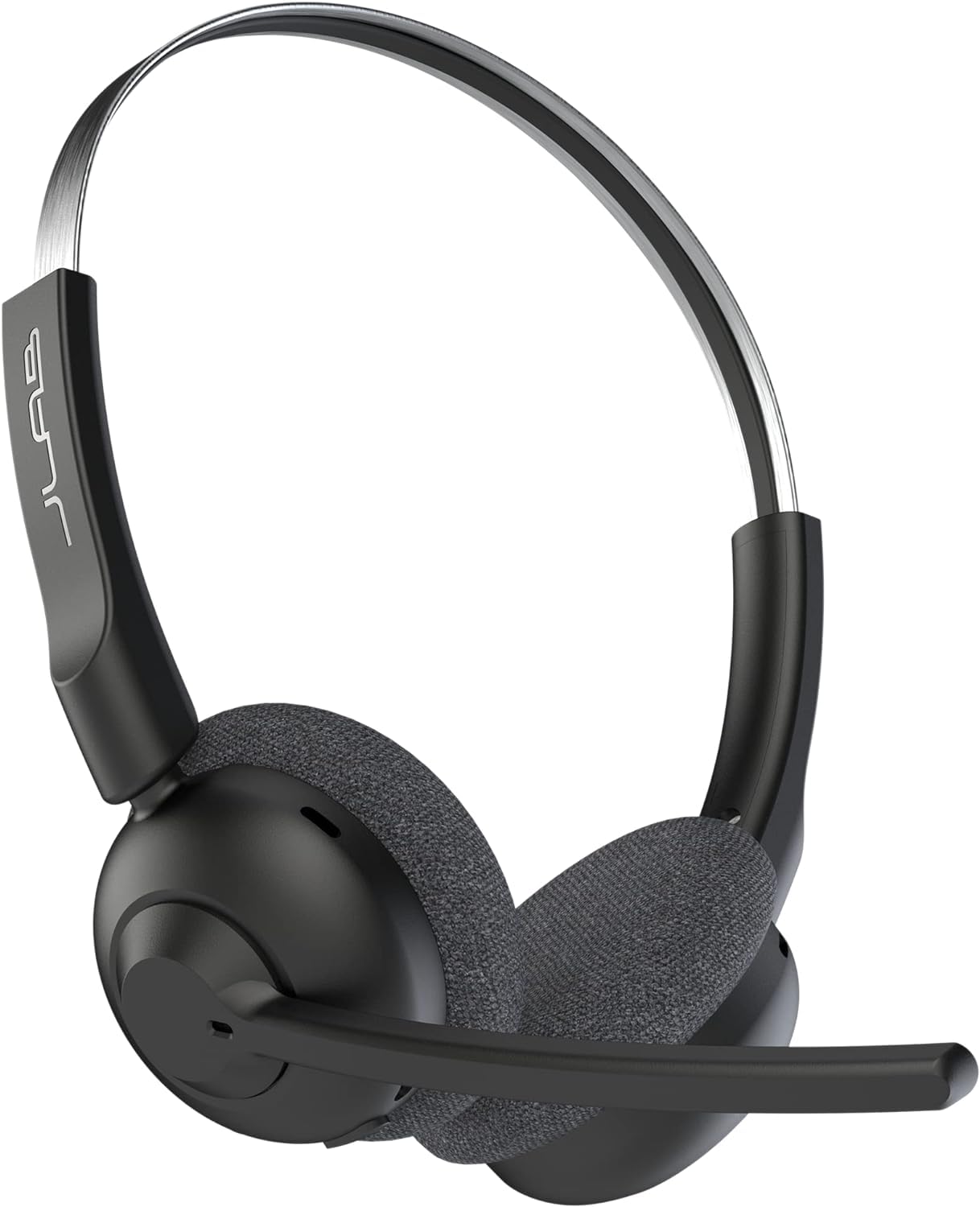
- Bluetooth multipoint pairs with two devices at once.
- Rotating boom mic flips up to mute and uses MEMS noise cancellation.
- 50-plus-hour stated playtime, USB-C charging, and Voice or Music EQ modes.
Best For: People who want a lightweight on-ear wireless headset with a flip-to-mute boom mic.
JLab JBuddies Studio Wireless
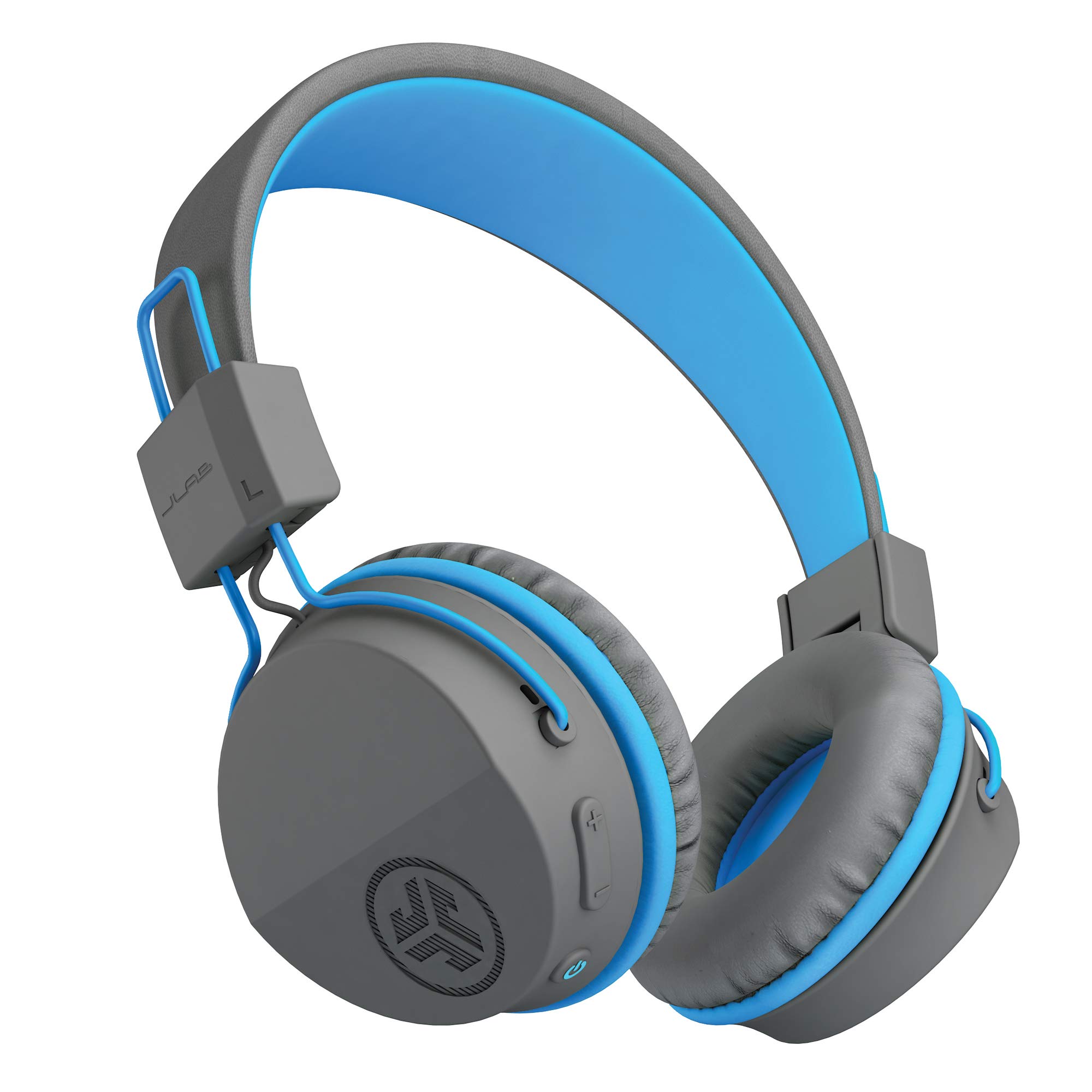
- Bluetooth wireless connection with a stated 13-hour battery life.
- Built-in volume limiter, integrated microphone, and on-ear controls.
- Cloud Foam cushions, padded headband, and folding design.
Best For: Families looking for a volume-limited wireless headset with a built-in mic for school calls and learning.
JLab JBuddies Studio 2 Wired
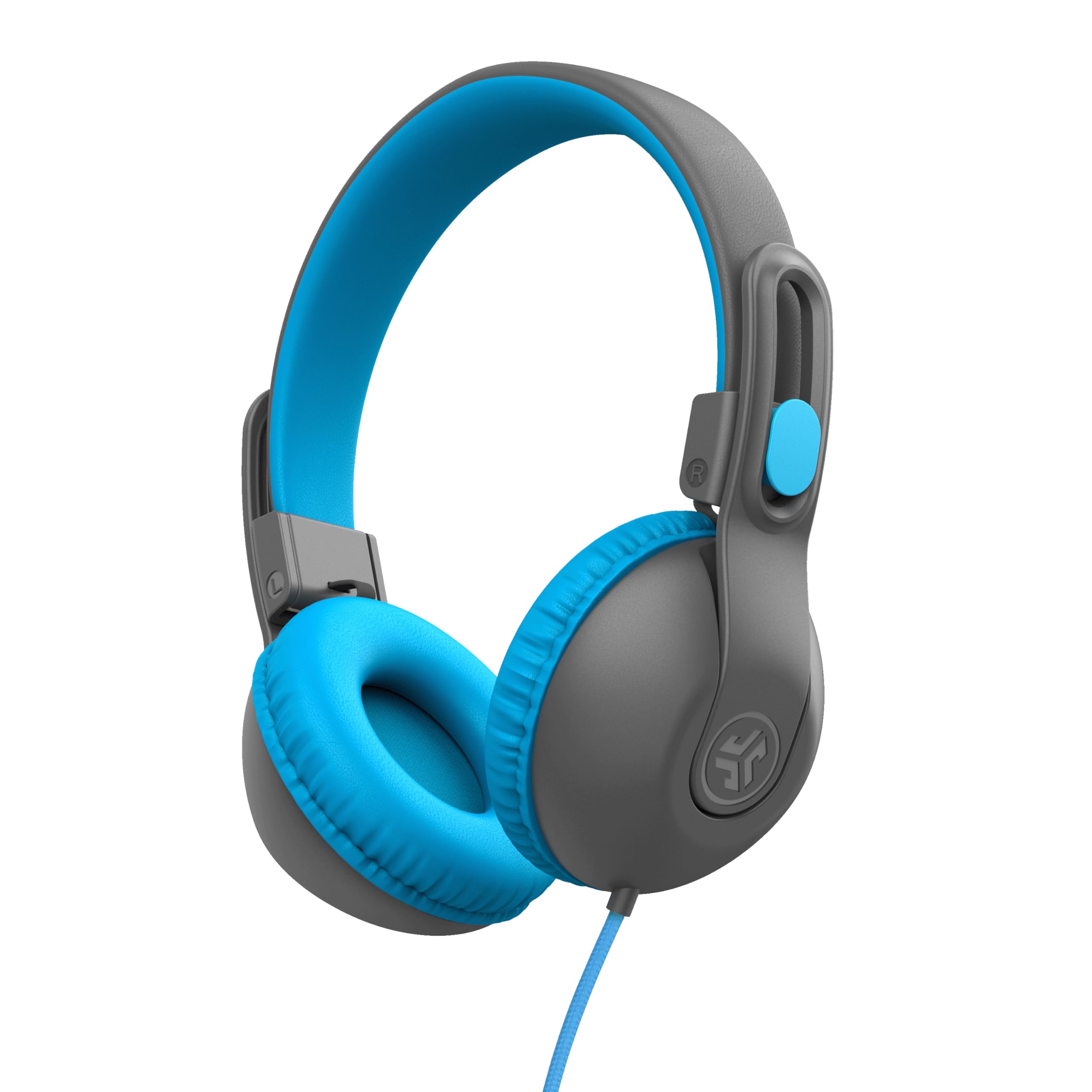
- 3.5 mm wired connection with an inline microphone and track control.
- Built-in volume regulator designed to limit output to 85 dB.
- Adjustable, folding design with Cloud Foam cushions for ages six to sixteen.
Best For: Children and families who want a simple wired headset with a mic and built-in volume limit.
Longest Stated Workweek Battery
JLab JBuds Work Wireless Headset with Microphone, Over Ear Computer Headsets, Wired or Wireless Headphones with 60+ Playtime, Multipoint Bluetooth Headset for Laptop Teams, Office with Mic (16 Pack)
The JBuds Work pairs an over-ear fit with a rotating boom microphone, Bluetooth multipoint, and a wired option through its included USB-C to 3.5 mm cable. Its stated 60-plus-hour battery life suits a busy schedule with fewer charging interruptions.
The boom can flip down to answer calls or up to end them, and a red indicator shows when the mic is muted. Voice and Music EQ modes provide two listening profiles.
This is the most call-control-focused choice here, though its product title identifies a 16-pack, so confirm the offer quantity before buying if you need a single headset.
Best For: People who want an over-ear headset with long battery life and flexible device connections.
| Pros | Cons |
|---|---|
|
|
Choose this headset if an over-ear fit, two-device Bluetooth connection, and call controls matter more than a compact design. The wired cable gives another connection option, while the mic can flip up or down to manage calls.
Its listed title indicates a 16-pack, a significant purchasing detail for an individual buyer. Confirm the quantity and whether the package matches your needs before comparing its value with the single-headset JLab options.
Boom Mic with Wired Backup
JLab Go Work Wireless Headsets with Microphone, 45+ Playtime PC Bluetooth Headset and Multipoint Connect to Laptop Computer and Mobile, Wired or Wireless Headphones (1 Pack)
The Go Work Wireless is an on-ear headset for people who move between a computer and a phone. Bluetooth multipoint connects two devices at once, and the included USB-C to 3.5 mm cable provides wired use.
Its dual-microphone setup pairs a voice mic with a mic intended to reduce surrounding sound, while the boom rotates out of the way for listening. A red LED at the boom tip signals mute status.
The stated 45-plus-hour battery life and Cloud Foam earcups suit long work sessions, although the smaller on-ear design may not fit everyone as comfortably as an over-ear headset.
Best For: Office users who want a boom microphone and the option to switch between wireless and wired listening.
| Pros | Cons |
|---|---|
|
|
Pick the Go Work if you want a headset with an adjustable boom and a wired fallback in one package. Its on-ear format, multipoint pairing, mute light, and Work or Music EQ modes make it adaptable across calls and listening.
The JBuds Work offers a longer stated battery life and an over-ear fit, while this model has a 45-plus-hour figure and an on-ear design. Check how its wired cable and Bluetooth pairing fit your computer and call setup.
Compact On-Ear Call Controls
JLab Go Work Pop, On-Ear Wireless Headset, Bluetooth Multipoint, Noise Canceling Boom Mic, Black
The Go Work Pop keeps its office features simple: an on-ear wireless design, Bluetooth multipoint for two devices, and a rotating boom mic that flips up to mute. The mic uses MEMS noise cancellation to reduce environmental background sounds, while separate Voice and Music EQ modes suit calls and listening.
Its stated 50-plus-hour playtime covers extended use between charges, and USB-C handles charging. This is a practical fit for someone who wants a portable headset for a computer and phone without a wired connection option.
Confirm your preferred fit and calling-device compatibility before choosing it for a particular work platform.
Best For: People who want a lightweight on-ear wireless headset with a flip-to-mute boom mic.
| Pros | Cons |
|---|---|
|
|
Choose the Go Work Pop if you want simple flip-to-mute control and two-device wireless pairing in a lightweight on-ear headset. It trades the wired fallback included with the Go Work Wireless for a 50-plus-hour stated playtime and a boom mic that mutes when raised.
The over-ear JBuds Work is another option if you favor larger earcups. Before buying, check whether Bluetooth is supported by your work computer and whether the on-ear fit suits your meeting schedule.
Wireless Headset for Younger Learners
JLab JBuddies Studio Wireless on-Ear Kids Headphones with mic, Graphite/Blue
The JBuddies Studio Wireless is designed for children ages six and up, with a built-in volume limiter and an integrated microphone for virtual learning. Bluetooth offers a wire-free listening option, and the stated 13-hour battery life supports a day of school or travel before charging.
On-ear controls, Cloud Foam cushions, and a padded headband complete its child-focused fit. This model can serve school calls as well as entertainment, but its 13-hour battery life is shorter than the adult office headsets in this guide.
Its age-focused fit and volume controls make it a specialized choice rather than a general adult headset.
Best For: Families looking for a volume-limited wireless headset with a built-in mic for school calls and learning.
| Pros | Cons |
|---|---|
|
|
Consider the JBuddies Studio Wireless when the headset is for a child who needs a mic for virtual learning and a volume-limited listening setup. Bluetooth avoids a cable, but the 13-hour battery life means charging is more frequent than with the adult JLab work models.
Its fit and features are child-oriented, so adults looking for a conventional office headset should choose one of the Go Work or JBuds Work options instead. Check device pairing needs and the age fit before buying.
Wired, Volume-Limited Learning Calls
JLab JBuddies Studio 2 On-Ear Kids Wired Headphones, Grey/Blue, Toddler Headphones, Kid Safe, Studio Volume Safe, Volume Limiter, Folding, Adjustable, Noise Isolation, with Mic
The JBuddies Studio 2 uses a 3.5 mm wired connection and an inline microphone, avoiding charging and Bluetooth pairing for school or home use. Its built-in volume regulator is designed to keep sound at or below 85 dB, and the adjustable headband, Cloud Foam cushions, and folding frame address fit and portability for ages six to sixteen.
For office use, the inline mic provides a basic call option, but the headset is clearly aimed at younger listeners. It is a sensible low-complexity pick when a compatible 3.5 mm jack is available and wireless features are unnecessary.
Best For: Children and families who want a simple wired headset with a mic and built-in volume limit.
| Pros | Cons |
|---|---|
|
|
Choose the wired JBuddies Studio 2 for a child who needs a microphone and volume control without another device to charge. The inline mic and 3.5 mm connector make the setup straightforward where a compatible jack is available.
Compared with the JBuddies Wireless, it gives up Bluetooth and battery-powered freedom in exchange for a direct wired connection. Confirm the computer or tablet has a usable 3.5 mm port and that the headset's age range fits its wearer.
How to Choose Office Headsets Under 100
How We Picked Office Headsets Under $100
This group emphasizes products with a microphone and features that can help with everyday calls, such as a rotating boom, mute control, or a wired connection. The Go Work and JBuds Work models have the clearest call-focused controls.
The Go Work Pop pairs a boom mic with two-device Bluetooth, while the JBuddies options bring mic support to child-oriented learning headsets.
The candidates also differ in fit and intended wearer. The adult work models are on-ear or over-ear options, while the JBuddies headsets are designed for children.
We included one wired and one wireless JBuddies model to show the tradeoff between a simple cable and freedom from wires.
Comparing Office Headsets for Calls and Device Switching
The first choice is how you want to handle calls. The Go Work and JBuds Work both include a rotating boom, wired connection option, and multipoint Bluetooth.
The JBuds Work has the longer stated battery life and over-ear cushions; the Go Work is on-ear and includes a mute indicator. The Go Work Pop also has a boom mic, with flip-to-mute operation and a 50-plus-hour stated playtime, but no wired mode is specified.
For more basic call needs, the JBuddies Studio Wireless connects by Bluetooth and includes an integrated mic. The JBuddies Studio 2 uses a 3.5 mm cable and inline mic instead.
Both are designed for young listeners, so adult buyers should focus on the adult work models if fit and office call controls are priorities.
| Product | Standout features | Best for |
|---|---|---|
| JLab JBuds Work Wireless HeadsetCheck Price |
| People who want an over-ear headset with long battery life and flexible device connections. |
| JLab Go Work Wireless HeadsetCheck Price |
| Office users who want a boom microphone and the option to switch between wireless and wired listening. |
| JLab Go Work Pop HeadsetCheck Price |
| People who want a lightweight on-ear wireless headset with a flip-to-mute boom mic. |
| JLab JBuddies Studio WirelessCheck Price |
| Families looking for a volume-limited wireless headset with a built-in mic for school calls and learning. |
| JLab JBuddies Studio 2 WiredCheck Price |
| Children and families who want a simple wired headset with a mic and built-in volume limit. |
Choosing a Comfortable Headset for a Workday
Fit affects whether a headset feels practical through a schedule of meetings. On-ear models rest on the ears, while the JBuds Work uses an over-ear design.
The Go Work models have Cloud Foam earcups, and the JBuddies options pair cushions with child-oriented adjustable headbands. If you wear glasses or prefer more space around your ears, compare the product images and fit details before buying; exact headband dimensions are not specified here.
Battery figures can help narrow wireless choices. The JBuds Work is rated for 60-plus hours, the Go Work Pop for 50-plus hours, and the Go Work Wireless for 45-plus hours.
The child-focused JBuddies Wireless has a stated 13-hour battery life. These are stated playtime figures, so consider your charging routine and whether wired operation is useful if a headset runs low.
Who Should Buy Which Office Headset?
Choose the JBuds Work if you want an over-ear work headset, two-device pairing, and the longest stated battery life in this group; verify its 16-pack title against the offer quantity. The Go Work Wireless suits an on-ear fit with a wired backup and a visible mute indicator.
The Go Work Pop is a compact wireless choice for someone who values flip-to-mute controls.
For a child using a headset for school calls, the JBuddies Studio Wireless adds Bluetooth and a volume limiter, while the wired Studio 2 avoids charging and pairing. Confirm the wearer’s age fit, the computer’s connection type, and whether the intended calls need a dedicated boom mic.