The best keyboards for work balance a comfortable layout and useful controls with the way you connect and move between devices. These picks range from quiet, full-size wireless models to compact mechanical boards, so focus on your number-pad needs, desk space, typing noise, and preferred connection.
Quick Top Products
JLab Epic Wireless Keyboard
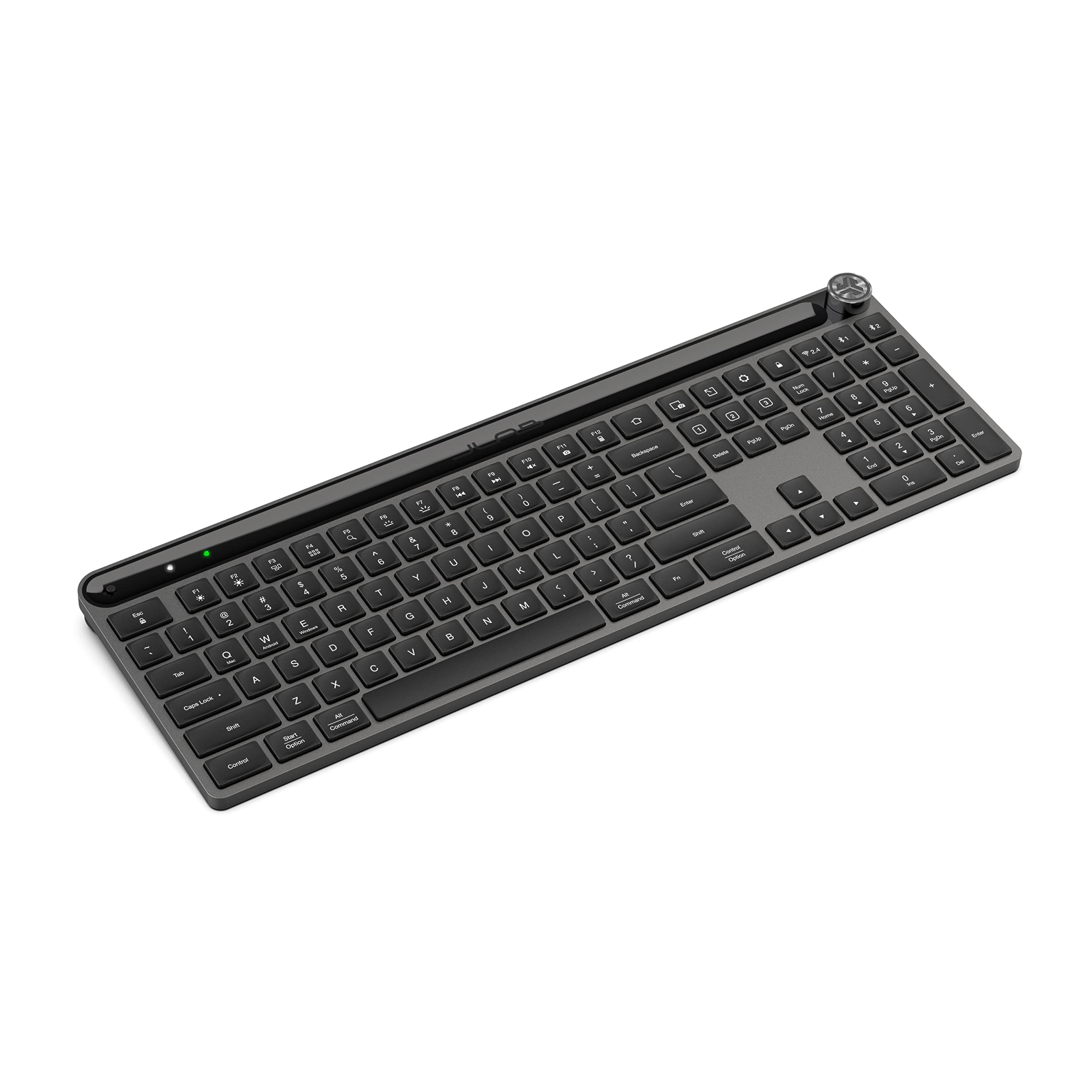
- Full-size 108-key layout with backlighting and a numeric keypad.
- Bluetooth pairs with up to three devices; a USB dongle is also included as a connection option.
- Rechargeable 2,000mAh battery and three customizable app profiles.
Best For: People who want a quiet-feeling full-size layout and easy switching across work devices.

JLab JBuds Wireless Keyboard
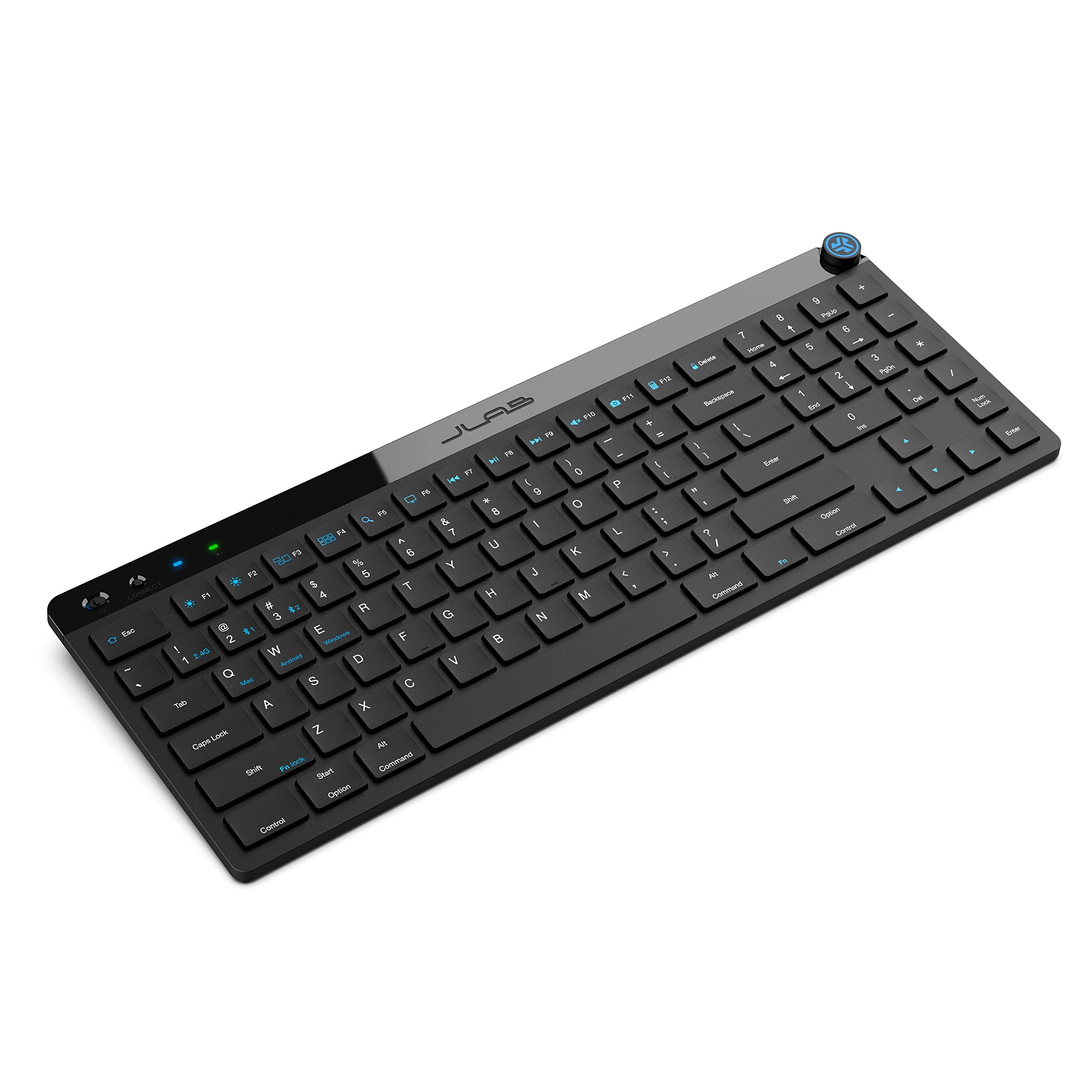
- 95 soft-touch keys with a full numerical pad in a slim design.
- Switches between up to three connections, including two Bluetooth pairings and a USB dongle.
- Offers up to 30 days of wireless battery life and three app profiles.
Best For: Desk workers who want a quieter-feeling, rechargeable keyboard with a number pad in a slimmer layout.
SteelSeries Apex 3 TKL
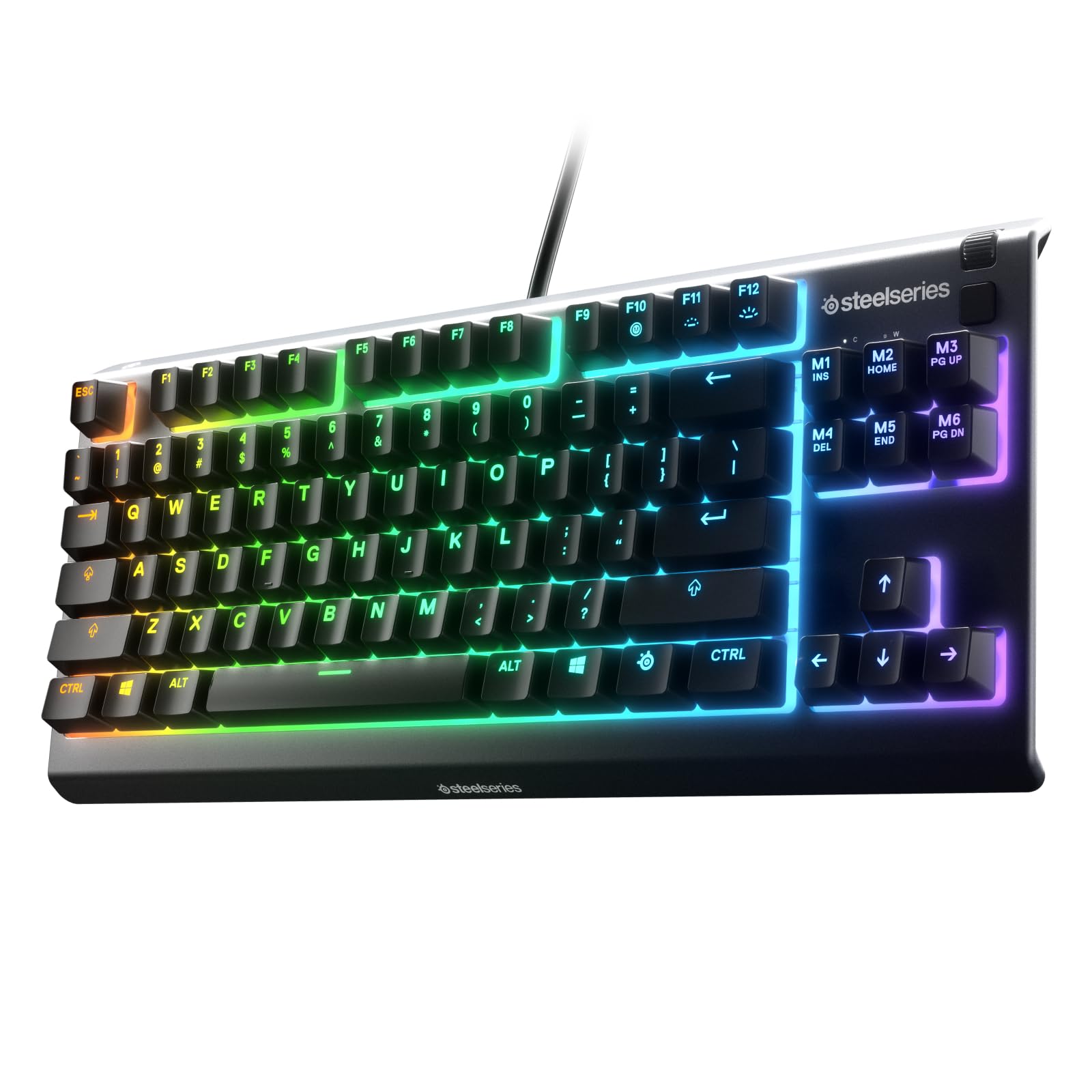
- Tenkeyless layout saves space by omitting the number pad.
- Whisper-quiet switches, anti-ghosting, and IP32 water and dust resistance.
- Includes a volume roller, media keys, and eight-zone RGB lighting.
Best For: People seeking a quieter, compact wired-style keyboard with spill and dust resistance features.
SteelSeries Apex 3
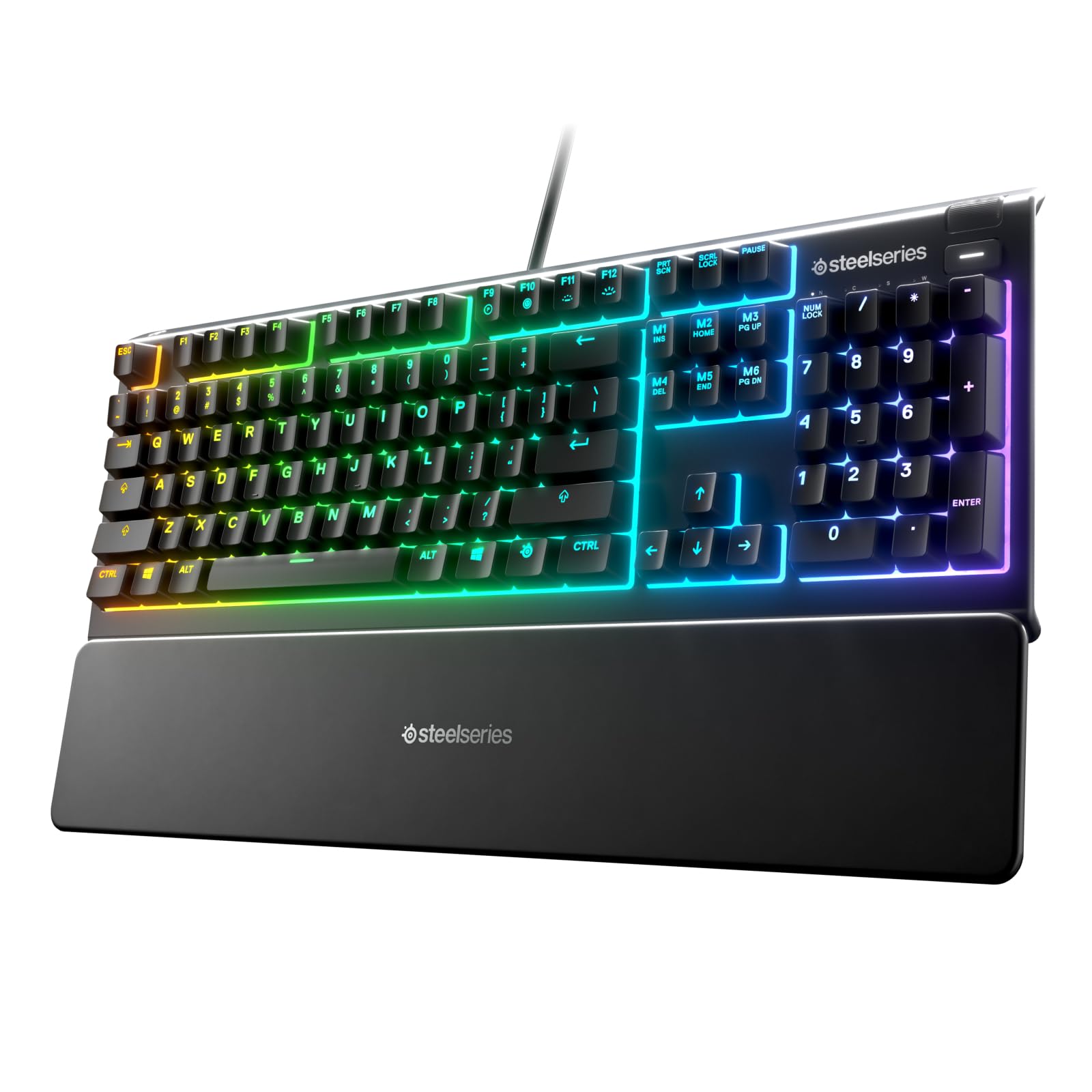
- Whisper-quiet switches and a magnetic wrist rest for palm support.
- Ten-zone RGB lighting and dedicated multimedia controls.
- IP32 water resistance and broad computer and console compatibility.
Best For: Workers who prefer a full-size work area, a magnetic wrist rest, and quiet key operation.
SOLAKAKA KI99 Pro Silent
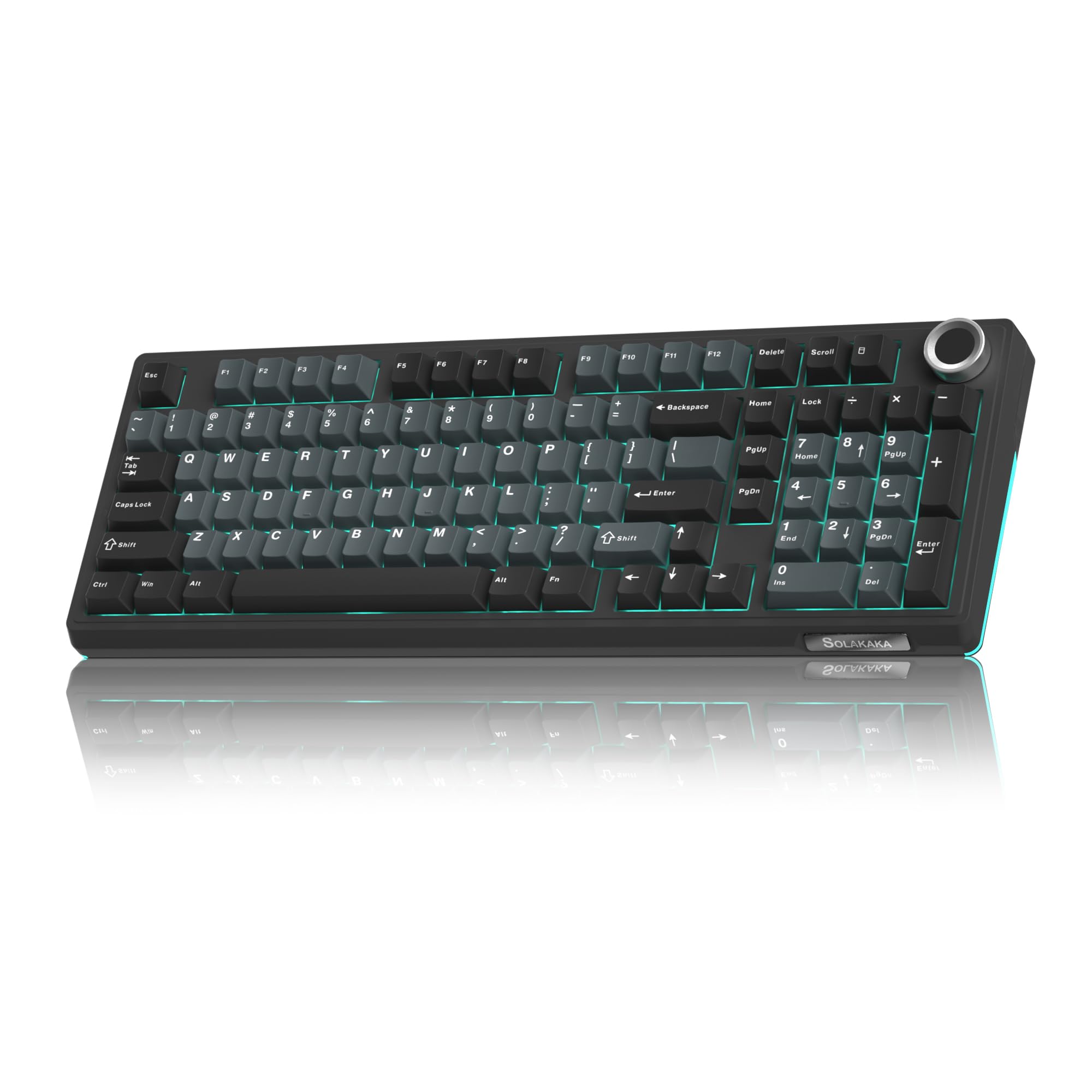
- 96% layout includes a numeric keypad and control knob.
- Connects through Bluetooth, 2.4GHz wireless, or USB-C.
- Silent switches, five noise-reducing layers, and hot-swap support.
Best For: Mechanical keyboard users who want quieter switches, wireless options, and a number pad in a compact layout.
SOLAKAKA A99 Pro 96%
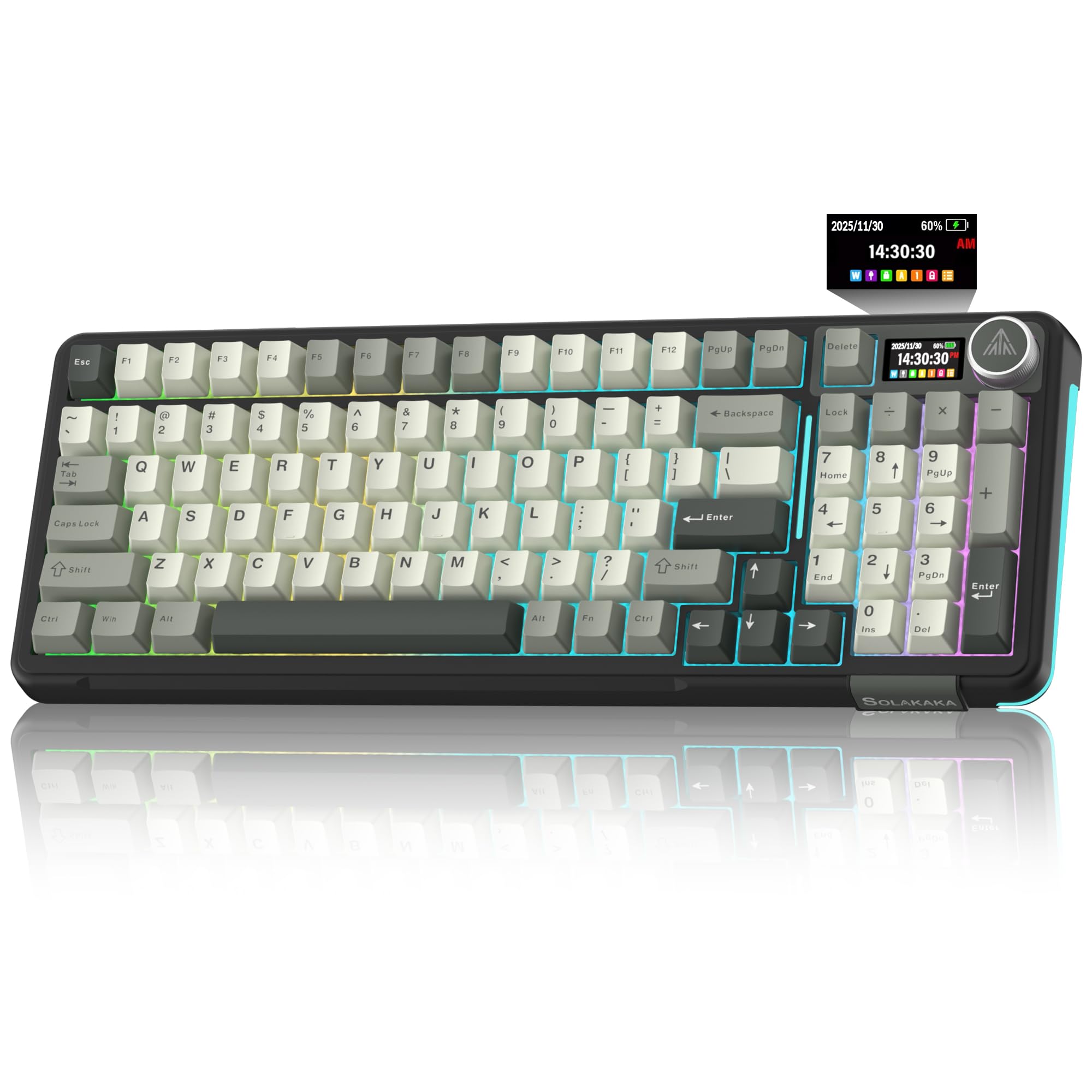
- 97-key layout keeps the number pad, arrows, and core function keys.
- LCD and knob provide status information and quick control.
- Tri-mode connectivity supports up to five devices.
Best For: People who want a compact mechanical keyboard with a numeric keypad, multi-device wireless connections, and a display.
SOLAKAKA A99 Pro 97-Key
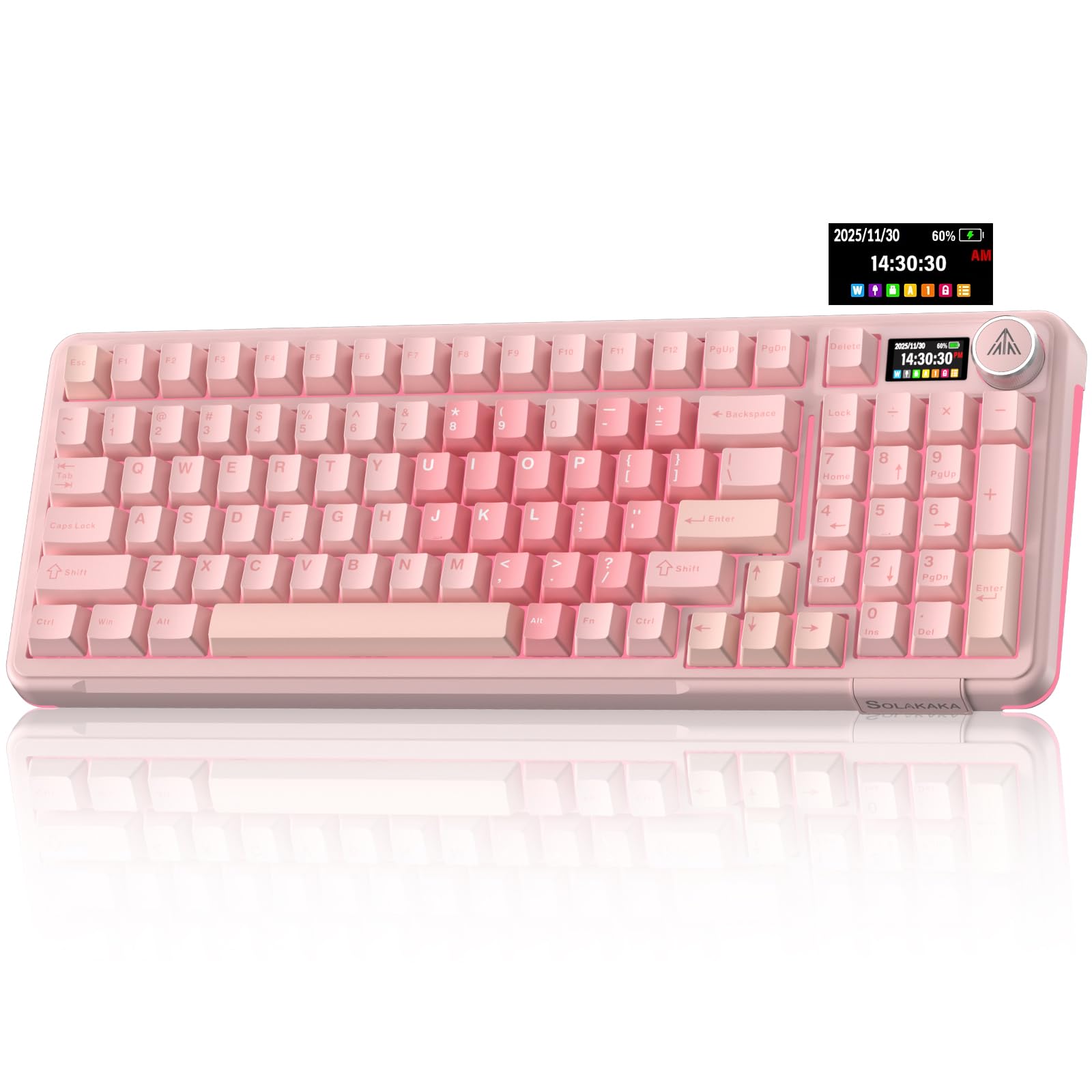
- 97-key 96% layout retains a number pad while saving space.
- LCD displays connection and battery information, among other items.
- Tri-mode connectivity supports up to five devices.
Best For: Users seeking a 96% mechanical board with a number pad, LCD, knob, and broad device switching.
SOLAKAKA A75 75% PBT
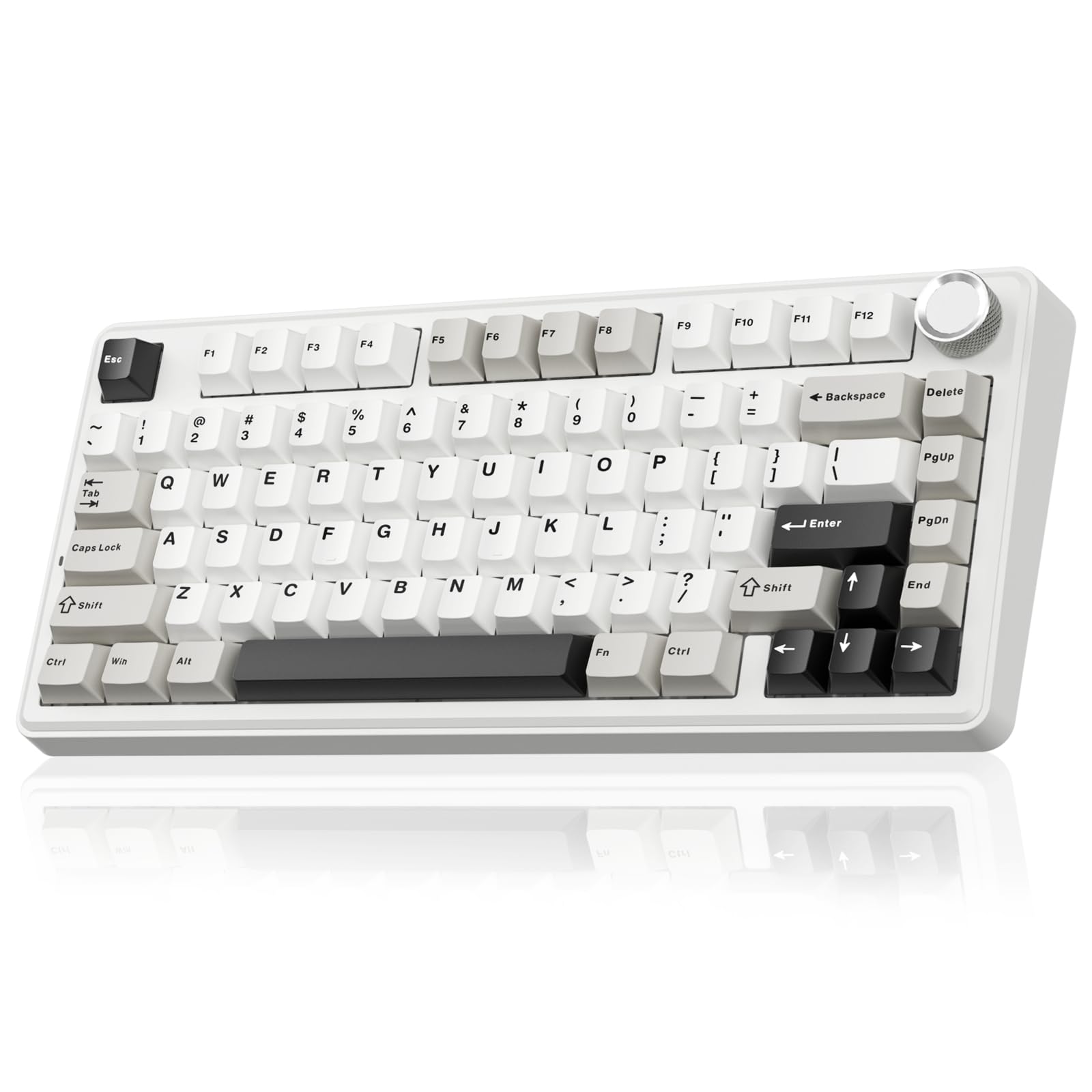
- 81-key 75% layout retains arrow keys but omits the dedicated number pad.
- Supports Bluetooth, 2.4GHz wireless, USB-C, and up to five devices.
- Includes PBT keycaps, hot-swap switches, and a 4,000mAh battery.
Best For: Workers who want a compact 81-key wireless mechanical keyboard with durable-feeling PBT keycaps.
SOLAKAKA A75 75% Reaper Switch
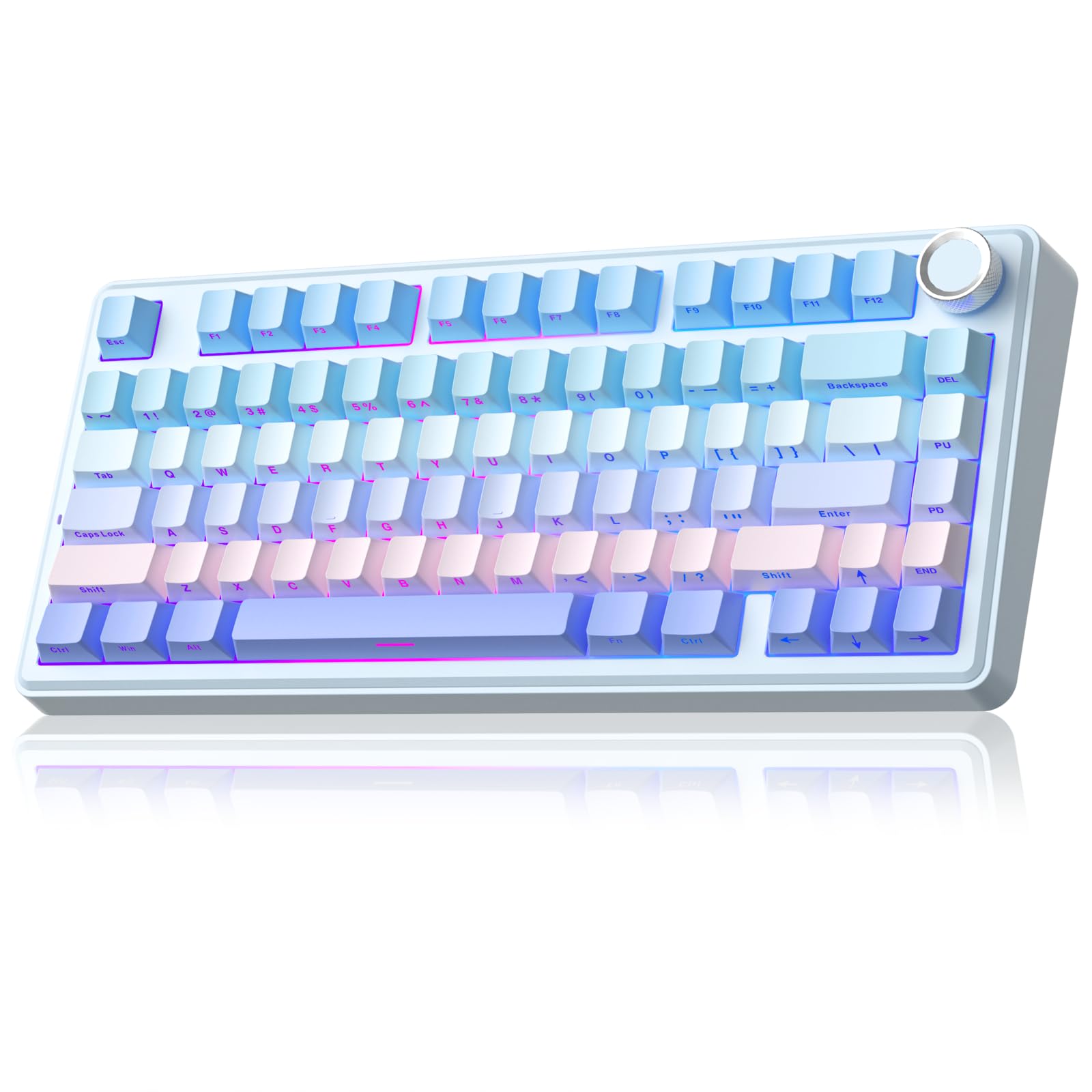
- Compact 81-key layout keeps arrow keys and saves desk space.
- Tri-mode connections support up to five devices.
- Knob switches between office and gaming controls; switches are hot-swappable.
Best For: People who want a compact, hot-swappable board with a knob for quick work and gaming controls.
SOLAKAKA A75 Crystal Keycaps
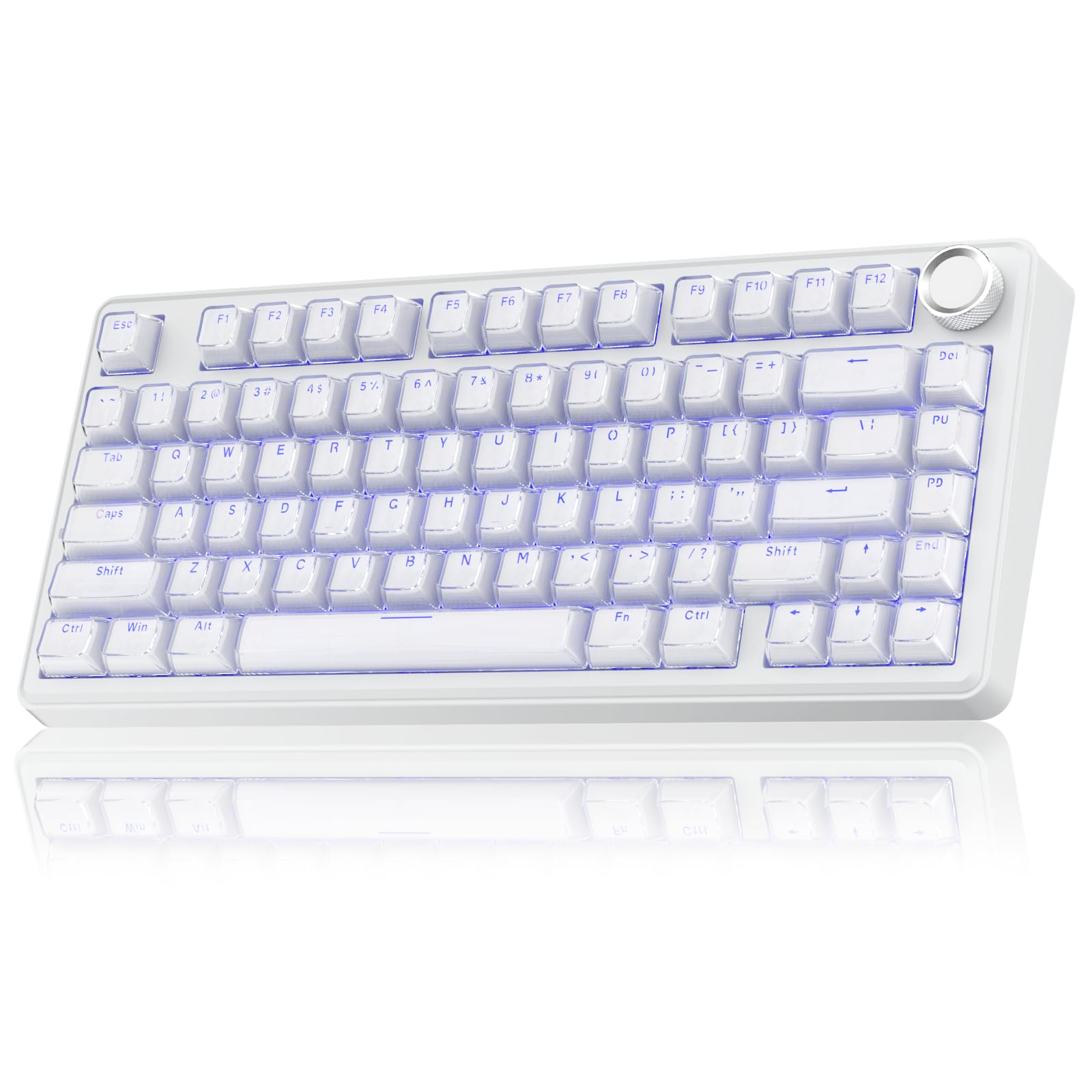
- 81-key 75% layout retains arrow keys in a compact footprint.
- Tri-mode connectivity can support up to five devices.
- Crystal-style keycaps, RGB effects, and hot-swappable switches.
Best For: People who want a compact mechanical keyboard with transparent keycaps and several connection choices.
Full-Size Wireless Workhorse
JLab, Epic, Wireless Keyboard, Bluetooth 5.2, USB Dongle, Multi-Device, Backlit, 108 Keys, Black
The JLab Epic pairs 108 full-size backlit keys with a soft-touch feel and a metal base. A built-in media knob gives quick volume control, while Bluetooth 5.2 can pair with up to three devices; a USB wireless dongle is another connection option.
It works with Windows, Mac, iOS, Android, and Chrome OS, making it a flexible fit for a mixed-device desk. The rechargeable 2,000mAh battery and up to three saved profiles in the JLab Work app add useful workday conveniences.
Its full-size footprint suits desks where retaining a number pad matters more than saving space.
Best For: People who want a quiet-feeling full-size layout and easy switching across work devices.
| Pros | Cons |
|---|---|
|
|
Choose the Epic if your work involves frequent typing, numeric entry, or switching between several devices. Its soft-touch keys and media knob suit everyday desk tasks, while the metal base provides a stable foundation.
Check that you have room for a full-size keyboard and that your devices support one of its connection options. The stated 2,000mAh capacity does not indicate how long a charge lasts, so consider how often you are comfortable recharging.
Slim Layout with Number Pad
JLab JBuds Wireless Keyboard, 95 Key, Multi-Device Bluetooth and USB dongle, Soft Touch Keys, Media knob, Custom Profiles, Black
The JLab JBuds has 95 soft-touch keys and a dedicated media knob, with a full numerical pad built into its slim design. It connects through Bluetooth 5.2 or a USB wireless dongle and can toggle across three connections, including two Bluetooth devices.
Compatibility covers Windows, macOS, Android, and iOS. The rechargeable battery is rated for up to 30 days of wireless use via Bluetooth or the USB dongle, and the JLab Work app allows custom shortcuts and up to three user profiles.
It is a practical office option when a number pad matters but a standard full-size board feels too broad.
Best For: Desk workers who want a quieter-feeling, rechargeable keyboard with a number pad in a slimmer layout.
| Pros | Cons |
|---|---|
|
|
Pick the JBuds if you want a number pad and multi-device switching but prefer a slim, softer-touch keyboard. The three-connection toggle is useful for moving between a computer, tablet, or phone without re-pairing each time.
Its 95 keys may require adjustment if your workflow relies on a conventional full-size key arrangement. Compare its connection options with the devices you use, and treat the stated battery duration as an upper estimate rather than a fixed interval.
Compact Quiet Typing
SteelSeries Apex 3 TKL RGB Gaming Keyboard – Tenkeyless Compact Form Factor - 8-Zone RGB Illumination – IP32 Water & Dust Resistant – Whisper Quiet Gaming Switch – Gaming Grade Anti-Ghosting,Black
The SteelSeries Apex 3 TKL removes the number pad to create a tenkeyless footprint, leaving more room for a mouse or other desk equipment. Its whisper-quiet switches are paired with anti-ghosting, and the keyboard has IP32 water and dust resistance.
Eight-zone RGB illumination and dedicated media controls add convenience, including a clickable volume roller. This model is compatible with Windows, Mac OS X, Xbox Series S and X, PS4, and PS5.
It can suit workspaces where quieter keystrokes and a smaller layout matter, though people who regularly enter figures may prefer a board with a dedicated numeric keypad.
Best For: People seeking a quieter, compact wired-style keyboard with spill and dust resistance features.
| Pros | Cons |
|---|---|
|
|
The Apex 3 TKL fits a desk where keyboard width is a priority and near-silent switch operation is appealing. Its media controls and resistance features may also suit shared or busy spaces.
Choose a full-size model if you handle spreadsheets, accounting, or other work that makes a number pad central to your routine. Before buying, check that the tenkeyless layout and the keyboard's platform compatibility match your setup.
Quiet Keys with Wrist Rest
SteelSeries Apex 3 RGB Gaming Keyboard – 10-Zone RGB Illumination – IP32 Water Resistant – Premium Magnetic Wrist Rest (Whisper Quiet Gaming Switch)
The SteelSeries Apex 3 combines whisper-quiet switches with a magnetic wrist rest designed to provide palm support. It also has dedicated multimedia controls and ten-zone RGB illumination.
Its IP32 water resistance is a useful feature for desks where accidental spills are a concern. The keyboard is compatible with Windows, Mac OS X, Xbox Series S and X, PS4, and PS5.
For work, it makes sense for people who want full-size-style keyboard functionality and built-in media controls, while its gaming-oriented lighting may be less relevant to a straightforward office setup. The supplied details do not confirm a numeric keypad, so check the exact layout before purchasing if you need one.
Best For: Workers who prefer a full-size work area, a magnetic wrist rest, and quiet key operation.
| Pros | Cons |
|---|---|
|
|
Consider the Apex 3 if quiet operation, a wrist rest, and direct media controls are high on your list. The IP32 feature may offer some peace of mind around accidental splashes, but it does not make the keyboard spill-proof.
Verify the layout before ordering, especially if you need a number pad or dedicated navigation keys. Its lighting and gaming compatibility add flexibility but may not matter for a work-only computer.
Quiet Wireless Mechanical Layout
SOLAKAKA KI99 Pro Wireless Mechanical Keyboard with Quiet Switch, Hot Swappable Pre-Lubed Switches with RGB Backlit, Gasket Structure Computer Gaming Keyboard (BlackBlue, Silent Switch)
The SOLAKAKA KI99 Pro Silent pairs a 96% layout with a numeric keypad, helping retain many full-size functions in a more compact footprint. It supports Bluetooth 5.0, 2.4GHz wireless, and USB-C wired connections, and works with Windows and macOS.
Silent switches sit within a gasket structure with five noise-reducing layers, while the 10,000mAh battery is designed to reduce charging frequency. A control knob adjusts volume, media, and lighting brightness; hot-swappable 3- or 5-pin switches let owners customize the typing feel without soldering.
This is a feature-rich choice for someone who wants a mechanical board for mixed work and gaming use.
Best For: Mechanical keyboard users who want quieter switches, wireless options, and a number pad in a compact layout.
| Pros | Cons |
|---|---|
|
|
Choose this KI99 Pro if you want a mechanical keyboard with a number pad, silent switches, and flexibility to connect wirelessly or by cable. The three modes can accommodate different desk setups, while hot-swap support gives you a route to adjust the switch feel later.
It has more gaming-focused features than a typical office keyboard, including RGB lighting and programmable software. Check that the particular switch feel and compact 96% arrangement suit your typing habits.
Compact Wireless Board with Display
SOLAKAKA A99 Pro Wireless Mechanical Keyboard with LCD Screen & Metal Knob, 2.4GHz/BT5.0/USB-C, RGB Backlit Gaming Keyboard, Hot Swappable, Creamy Keyboard with Gasket Structure, for Win/Mac
The SOLAKAKA A99 Pro has a 97-key, 96% layout that retains a numeric keypad, arrow keys, and essential function keys while reducing the overall footprint. Its LCD shows information such as date, time, battery level, system, and connection mode, and a multifunction knob handles volume, lighting, and system switching.
Bluetooth 5.0, 2.4GHz wireless, and USB-C wired modes support up to five devices. The gasket structure uses five cushioning layers, and the board has hot-swappable 3- or 5-pin switches.
This combination suits people who want a customizable mechanical keyboard for work and multiple devices, provided the display and software features are useful to them.
Best For: People who want a compact mechanical keyboard with a numeric keypad, multi-device wireless connections, and a display.
| Pros | Cons |
|---|---|
|
|
The A99 Pro is a fit for multi-device desks where a number pad remains important and a small status display is useful. Five-device support and the three connection modes allow a flexible setup, while hot-swap switches leave room to customize later.
Check whether you need the stated operating-system switching and whether your work benefits from the LCD and knob. If you want a straightforward typing tool, a simpler office model may require less configuration.
97-Key Multi-Device Mechanical
SOLAKAKA A99 Pro Wireless Gaming Keyboard with LCD Screen & Metal Knob, 96% Layout Mechanical Keyboard, 2.4GHz/BT5.0/USB-C, Hot Swappable, Creamy Keyboard with Gasket Structure, RGB, for Win/Mac
This SOLAKAKA A99 Pro version combines a 97-key, 96% layout with an LCD and metal multifunction knob. The screen can display date, time, battery level, connected system, connection mode, and GIFs.
Bluetooth 5.0, 2.4GHz wireless, and USB-C wired connectivity support up to five devices, with Windows, Mac, iOS, and Android compatibility. A gasket structure with five cushioning layers is intended to reduce internal noise, and the keyboard supports hot-swappable 3- or 5-pin switches.
It is aimed at a flexible desk setup that wants numeric entry and mechanical customization without taking the space of a conventional full-size keyboard.
Best For: Users seeking a 96% mechanical board with a number pad, LCD, knob, and broad device switching.
| Pros | Cons |
|---|---|
|
|
This version suits people who want a compact mechanical board for a desk shared across several devices. Its number pad, status display, and multi-device connections are the main work advantages; the RGB and GIF functions are optional extras.
Check how you plan to connect each device and whether the 97-key arrangement includes every key you rely on. The product details do not give a battery runtime, so wired use may be preferable if charging intervals are a concern.
Compact Board with PBT Keycaps
SOLAKAKA A75 75% Wireless Mechanical Keyboard, Hot Swappable Gaming Keyboard with Multifunction Knob & RGB, Gasket Mounted Creamy Keyboard, PBT Keycaps, Compact Layout for Win/Mac/PC
The SOLAKAKA A75 uses an 81-key, 75% layout that keeps arrow keys while reducing desk footprint. It supports Bluetooth 5.0, 2.4GHz wireless, and USB-C wired connections, and can connect with up to five devices.
Its pre-lubricated LEOBOG reaper switches and gasket mount are paired with PBT keycaps, which are double-shot molded. A multifunction knob changes between gaming and office modes and can adjust volume or lighting.
The 4,000mAh battery is included for wireless use. This layout is suited to work that does not depend on a dedicated number pad, especially when desk space and device switching are priorities.
Best For: Workers who want a compact 81-key wireless mechanical keyboard with durable-feeling PBT keycaps.
| Pros | Cons |
|---|---|
|
|
Consider the A75 if you want a compact keyboard for general writing, coding, or everyday desk work and can do without a dedicated number pad. Its multi-device connectivity and wired mode offer setup flexibility, while the knob provides quick office-mode volume control.
The keycaps are PBT, and the switches are hot-swappable. Check whether the reduced layout suits your shortcuts and whether you need the Windows-only driver for software customization.
Compact Office and Gaming Modes
SOLAKAKA A75 Wireless Mechanical Keyboard, Hot Swappable Gaming Keyboard with RGB Backlit, Multifunction Knob, Gasket Mounted Creamy Keyboard, BT5.0/2.4GHz/USB-C, 75% Compact Layout for Win/Mac/PC
The SOLAKAKA A75 is an 81-key, 75% mechanical keyboard that keeps the arrow keys and uses a knob for quick controls. Its long press switches between gaming and office modes; in office mode, the knob adjusts volume and can mute or unmute.
It connects through Bluetooth 5.0, 2.4GHz wireless, or USB-C and supports up to five devices. A gasket structure, pre-lubricated stabilizers, and LEOBOG reaper switches define its mechanical setup, while hot-swap support accepts 3- and 5-pin switches.
The RGB effects and programmable software add flexibility, though the driver runs on Windows and requires wired mode.
Best For: People who want a compact, hot-swappable board with a knob for quick work and gaming controls.
| Pros | Cons |
|---|---|
|
|
Pick this A75 if a small footprint, multi-device switching, and direct volume control matter more than a number pad. The mode-switching knob is a useful distinction for someone alternating between desk work and gaming.
Its wired software requirement is worth considering if you expect to customize shortcuts or lighting on a Mac. Compare its 81-key arrangement with your existing shortcuts before switching from a full-size keyboard.
Crystal-Keycap Compact Layout
SOLAKAKA A75 Wireless Gaming Keyboard with Multifunction Knob, BT5.0/2.4GHz/USB-C, 75% Mechanical Keyboard, Hot-Swappable, Gasket Creamy Keyboard with RGB Backlit, Crystal Keycaps, for PC/Mac/PC
This A75 version uses an 81-key, 75% layout with crystal-style keycaps made from a transparent PC outer shell and an ABS inner layer. Arrow keys remain, while the dedicated number pad is removed to save desk space.
The keyboard supports Bluetooth 5.0, 2.4GHz wireless, and USB-C wired connections, with up to five devices supported. A knob controls lighting or volume depending on its mode, and the switches are hot-swappable.
RGB lighting includes 17 effects. For work, its compact form and multi-device connections are useful; the distinctive keycaps and lighting are more about visual preference than office function.
Best For: People who want a compact mechanical keyboard with transparent keycaps and several connection choices.
| Pros | Cons |
|---|---|
|
|
This version is for someone who wants a compact board with a distinctive look and the option to switch between several devices. Its arrow keys keep it practical for everyday navigation, but numeric-heavy tasks will be less convenient without a keypad.
The knob's function changes by mode, so check that this control scheme feels natural. The supplied details do not specify a battery capacity or runtime for this version.
How to Choose Keyboards For Work
How We Picked Keyboards for Work
This selection focuses on practical work setup differences: whether a keyboard has a number pad, how much desk space it uses, whether it supports wireless device switching, and which direct controls it adds. The JLab models provide soft-touch options for everyday typing, while the SteelSeries Apex 3 models emphasize quiet switches and media controls.
SOLAKAKA's mechanical options add customizable switches, compact layouts, or more connection modes.
The candidates also vary in how much setup they invite. A straightforward office keyboard can be ready for routine typing, while programmable profiles, hot-swap switches, and lighting settings may appeal to people who want to customize their workspace.
Gaming labels alone were not the deciding factor; the guide keeps models whose layouts and documented controls can serve a work desk.
Comparing Keyboards for Work
Start with layout. The JLab Epic's 108 keys suit people who want a conventional full-size arrangement.
The JLab JBuds has 95 keys with a full numerical pad in a slimmer design. SOLAKAKA's 96% A99 Pro and KI99 Pro options retain a number pad while trimming the footprint, while the 75% A75 models keep arrow keys but omit the number pad.
The SteelSeries Apex 3 TKL is also tenkeyless, so frequent spreadsheet users should weigh that tradeoff carefully.
Next, consider typing sound and connection. The Apex 3 models use whisper-quiet switches, and the KI99 Pro Silent pairs silent switches with noise-reducing layers.
The JLab options use soft-touch keys. By contrast, the A99 Pro and A75 are mechanical boards with gasket structures and switch customization.
For a desk shared with a laptop or tablet, wireless options range from JLab's multi-device pairings to SOLAKAKA's Bluetooth, 2.4GHz, and USB-C modes. The comparison table below brings the key differences together.
| Product | Standout features | Best for |
|---|---|---|
| JLab Epic Wireless KeyboardCheck Price |
| People who want a quiet-feeling full-size layout and easy switching across work devices. |
| JLab JBuds Wireless KeyboardCheck Price |
| Desk workers who want a quieter-feeling, rechargeable keyboard with a number pad in a slimmer layout. |
| SteelSeries Apex 3 TKLCheck Price |
| People seeking a quieter, compact wired-style keyboard with spill and dust resistance features. |
| SteelSeries Apex 3Check Price |
| Workers who prefer a full-size work area, a magnetic wrist rest, and quiet key operation. |
| SOLAKAKA KI99 Pro SilentCheck Price |
| Mechanical keyboard users who want quieter switches, wireless options, and a number pad in a compact layout. |
| SOLAKAKA A99 Pro 96%Check Price |
| People who want a compact mechanical keyboard with a numeric keypad, multi-device wireless connections, and a display. |
| SOLAKAKA A99 Pro 97-KeyCheck Price |
| Users seeking a 96% mechanical board with a number pad, LCD, knob, and broad device switching. |
| SOLAKAKA A75 75% PBTCheck Price |
| Workers who want a compact 81-key wireless mechanical keyboard with durable-feeling PBT keycaps. |
| SOLAKAKA A75 75% Reaper SwitchCheck Price |
| People who want a compact, hot-swappable board with a knob for quick work and gaming controls. |
| SOLAKAKA A75 Crystal KeycapsCheck Price |
| People who want a compact mechanical keyboard with transparent keycaps and several connection choices. |
Choosing an Office Keyboard Layout
A number pad is valuable for entering figures, working with spreadsheets, or using number-heavy business applications. Full-size layouts such as the Epic keep a familiar arrangement.
The JBuds trims the key count while retaining a full numerical pad. A 96% board can also save some space while preserving keypad access, but confirm its placement and key arrangement suit your habits.
If you rarely use the number pad, a tenkeyless or 75% keyboard can leave more room for a mouse and other desk tools. The Apex 3 TKL and SOLAKAKA A75 boards retain different keys, so compare the specific layout before choosing.
Compact boards also change where navigation and function keys are reached, which can affect shortcuts you use throughout the day.
Wireless Keyboards for Multi-Device Work
For people who move between a desktop, laptop, phone, or tablet, check both the connection types and the number of saved connections. The JLab JBuds supports up to three connections, while the Epic pairs with up to three Bluetooth devices and also offers a USB dongle.
SOLAKAKA's A99 Pro and A75 options support up to five devices across Bluetooth, 2.4GHz, and USB-C modes. Compatibility is model-specific, so confirm your operating systems and connection ports before buying.
Battery information differs across these products. The Epic provides a 2,000mAh capacity, while the A75 PBT version has a 4,000mAh battery; capacity alone does not say how long the keyboard will run.
The JBuds gives an up-to-30-day estimate. If you prefer predictable availability at a fixed desk, use a wired connection where supported or prioritize a model with battery details that suit your routine.
Who Should Buy Which Work Keyboard?
Choose the JLab Epic for a backlit, full-size board with a number pad and a media knob. The JBuds suits a slimmer desk setup that still needs numeric entry and can make use of its multi-device toggle.
For quieter typing with a tenkeyless layout, consider the SteelSeries Apex 3 TKL; choose the full-size Apex 3 only after confirming its layout meets your needs.
The SOLAKAKA KI99 Pro Silent is the mechanical pick for users who want silent switches, a compact number pad layout, and switch customization. The A99 Pro suits multi-device users who want a display and number pad.
Choose an A75 when desk space matters more than a number pad, then select among the versions by keycap material, switch setup, and desired software features.